2020-2021
Mejor Niñez
Child Protection Reporting System
About the product
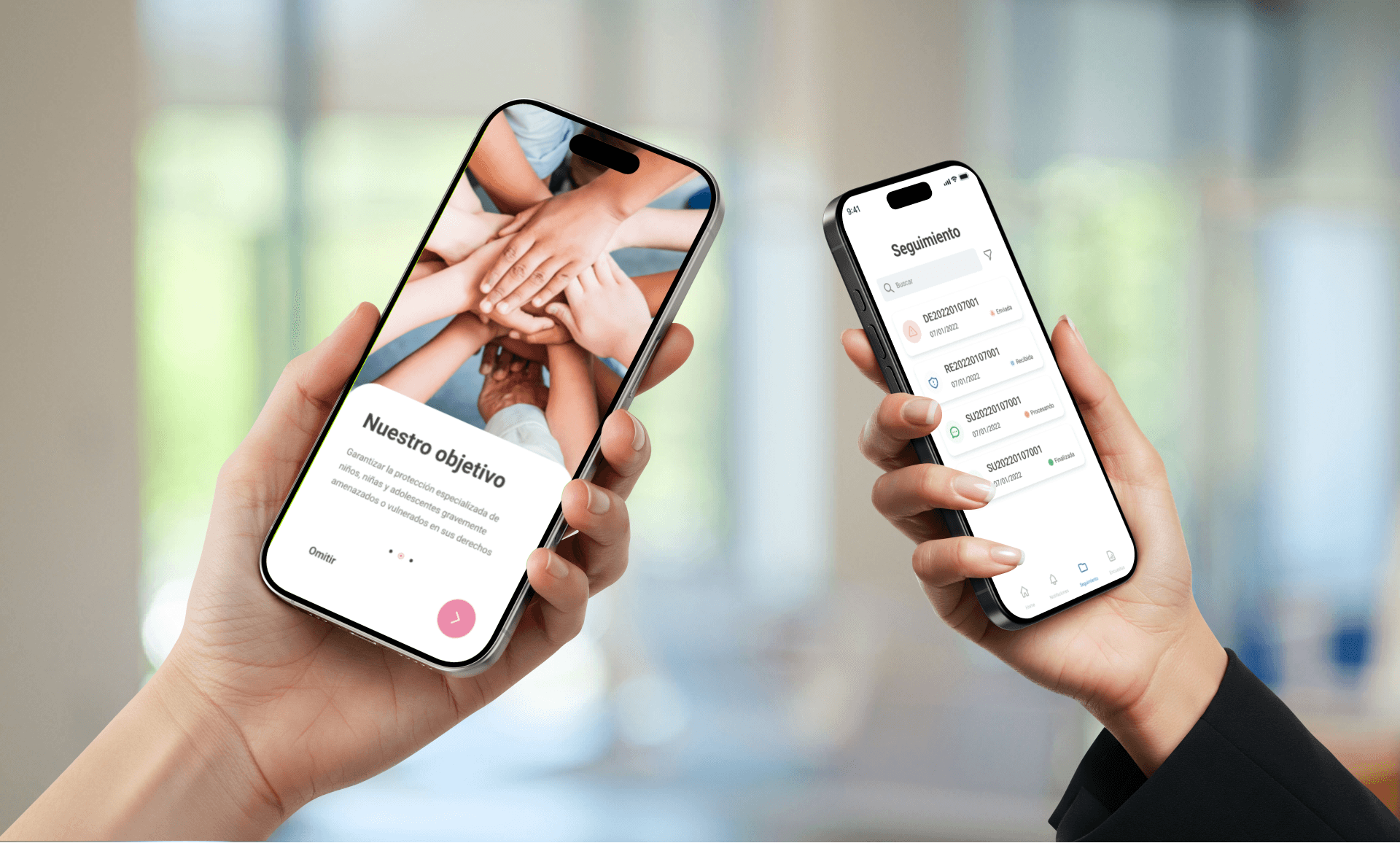
Mejor Niñez is a government program in Chile that provides protection and assistance to children and adolescents in vulnerable situations.
My role
Product Designer – UI-focused with involvement in product strategy and experience design
Main project goal
To create a user-friendly complaint system for children, teenagers, and adults to report potential child endangerment quickly and securely. At the same time, we needed to build an internal responsive dashboard for Mejor Niñez agents to track, manage, and classify cases efficiently from any location.
Discovery
Background
Mejor Niñez was seeking to improve its response time in protecting minors in vulnerable situations, while also providing a tool to streamline the reporting and case management process for both complainants and internal staff. Our team was tasked with designing a digital solution to facilitate the reporting of child endangerment and to support efficient tracking and resolution of cases.
Challenge
Design and build the entire system from scratch.
Ensure the platform is intuitive and accessible for a diverse audience, including children, teenagers, and adults.
Enable seamless interoperability between modules for case intake, classification, review, resolution, and reporting.
Goals and objectives
Simplify the reporting process so that even a 7-year-old could file a complaint safely and clearly.
Create an internal web system that agents could access from any device in the field.
Enable filtering, classification, and reporting capabilities to support cross-agency collaboration.
Workshop
We conducted workshops with key stakeholders to define:
User profiles: child, teen, adult
Complaint process and pain points
Features needed in the internal system
Problem definition
Before this project, reports of children at risk were often delayed or lost in bureaucratic processes. There was no unified digital tool for citizens (including children) to easily report incidents, and internal case handling lacked interoperability and real-time tracking. Additionally, there was a need for a child-friendly interface that empowered young users without overwhelming them.
Scoping
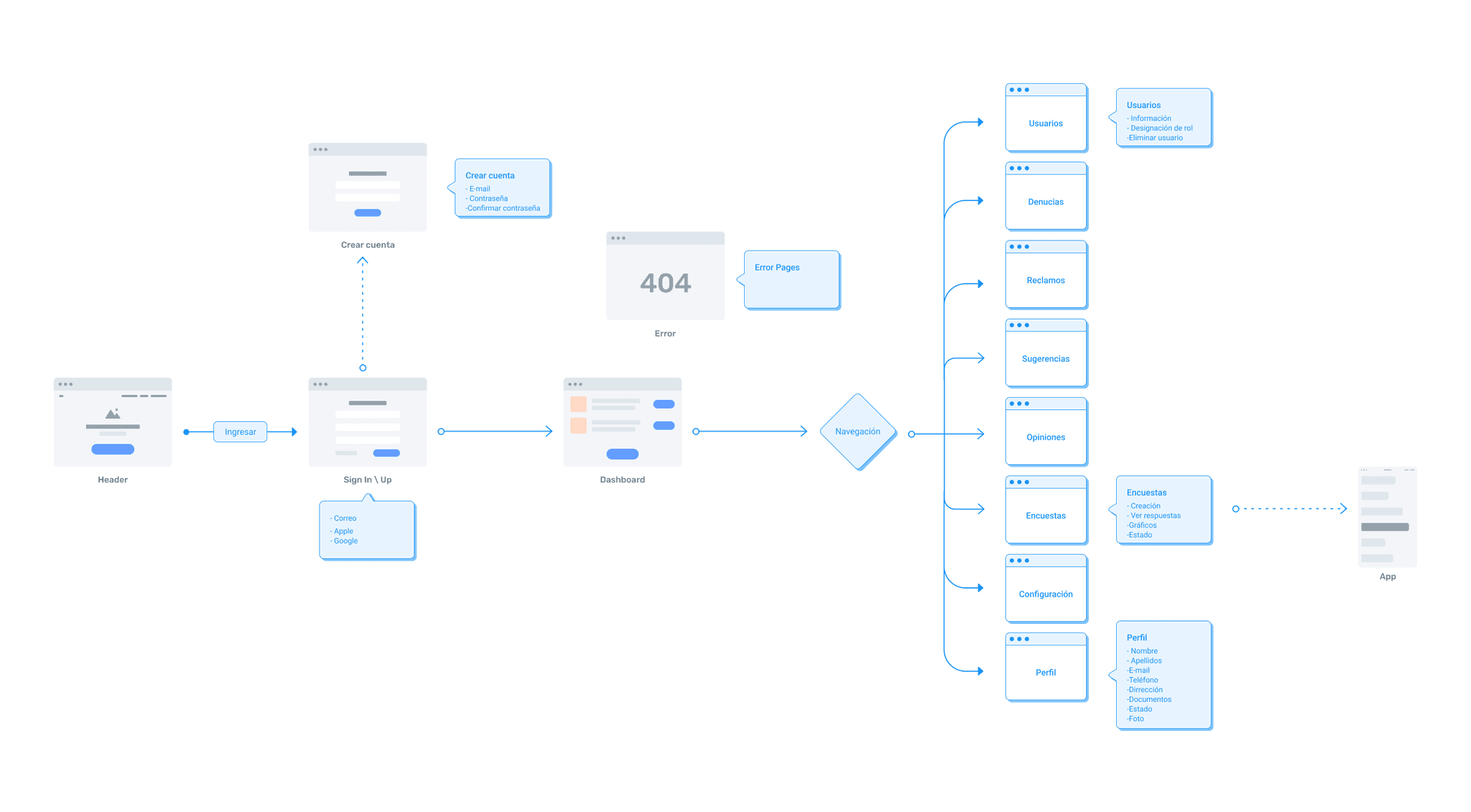
Due to scope, time, and user needs, we divided the solution into two platforms:
Complainants App
Mobile-first experience
Three flows based on user age group
Simple, guided reporting process
Responsive Internal System for Mejor Niñez Agents
Case tracking dashboard
Filters by age, type of report, location
Reporting module for exporting both general and specific data
Solution design
Complainants App
We structured the app around two main entry points:
Minors are guided straight to the complaint form, minimizing cognitive load.
Adults choose between two paths: reporting child endangerment or reporting misconduct by a Mejor Niñez agent.
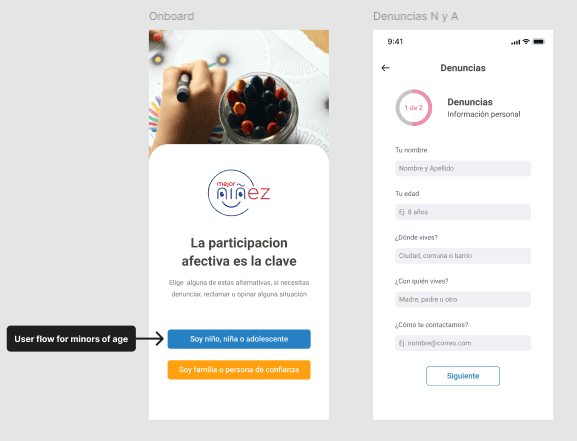
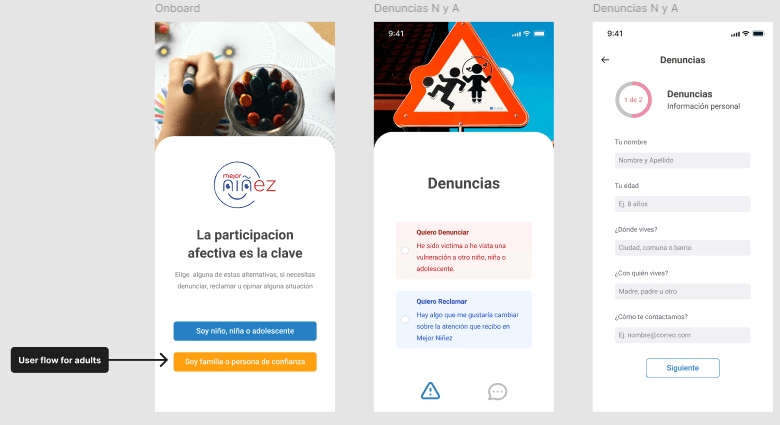
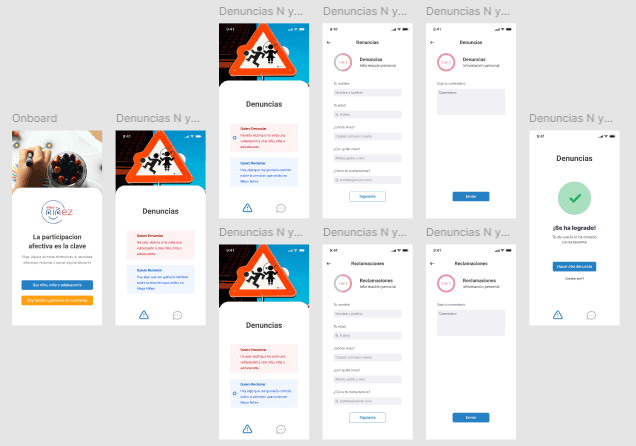
Iteration Highlight: User registration and login were placed after user type selection to streamline the process. For minors, login is skipped — they only provide name, age, and the report, with the adult profile attached if available.
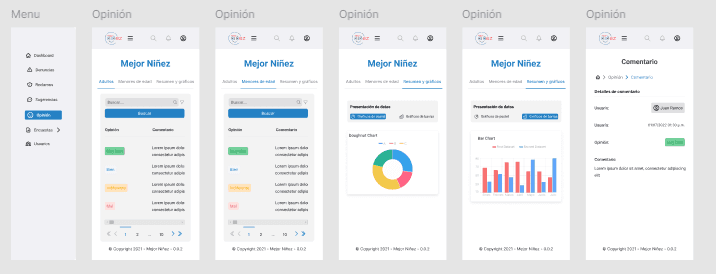
Agent Dashboard System
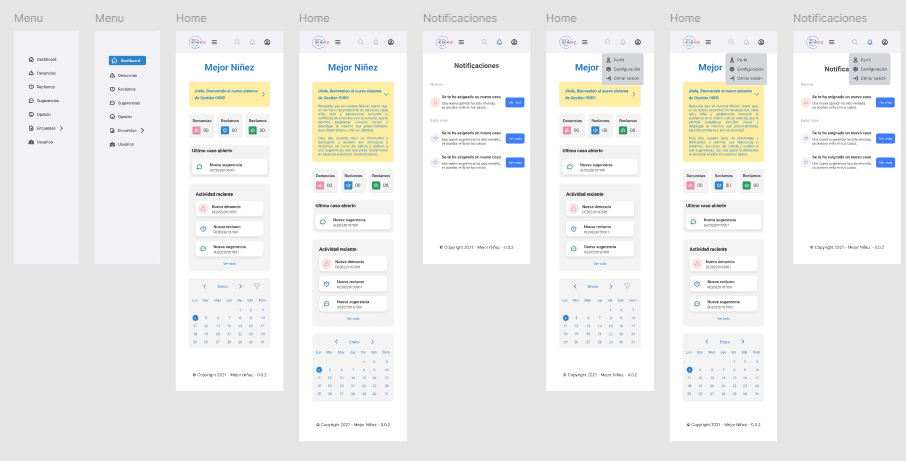
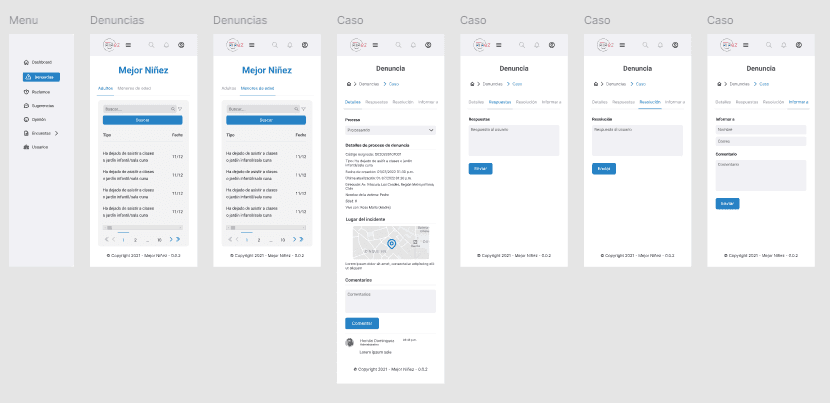
Key features of the internal system:
Clear, simplified dashboard with case overviews
Quick filters by user type and urgency
Exportable reports for inter-institutional use
The system was designed responsively to support agents working in diverse and remote regions across Chile.
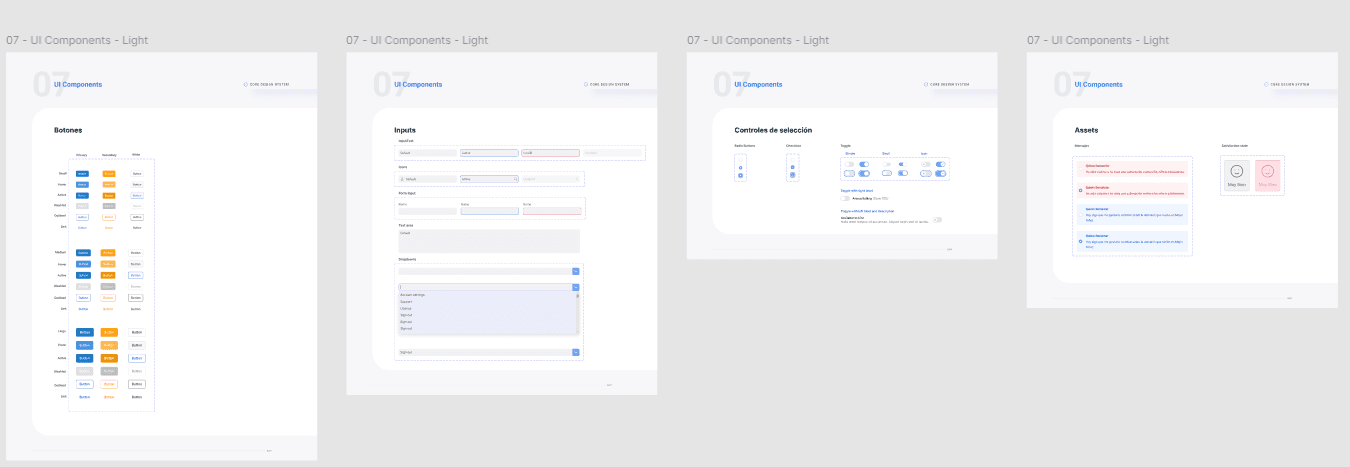
UI Kit
To accelerate development and maintain consistency, I created a comprehensive UI Kit, including:
Icons and visual language
Buttons, form components, filters
Design patterns for accessibility and age diversity
What I learned
How to define and prioritize actions for multiple user types
The importance of scoping and iteration in government projects
How to design effective flows for vulnerable populations, especially minors
How research and usability must support decisions in sensitive-use cases
What I would have done differently
Improve the presentation of the ideas proposed for the solution of the project, since one idea discarded due to time constraints was to enable the sending of audios or videos in the case of reports of minors, but it was not clearly communicated to the stakeholders and was therefore discarded.
As a result of this project I learned many skills that would help me in my later projects such as:
Documentation of designs
Effective presentations
Backing up decisions made with research
Designing for underage users